AVoIP Manager · A Panta Rhei service by Kramer
A hundred streamers.
One matrix, one click.
A few encoders and decoders can be managed one at a time. A fleet cannot. AVoIP Manager is the console for every Kramer streamer on the estate: route them, group them, build video walls and KVM, and see every command that was sent.
The matrix.
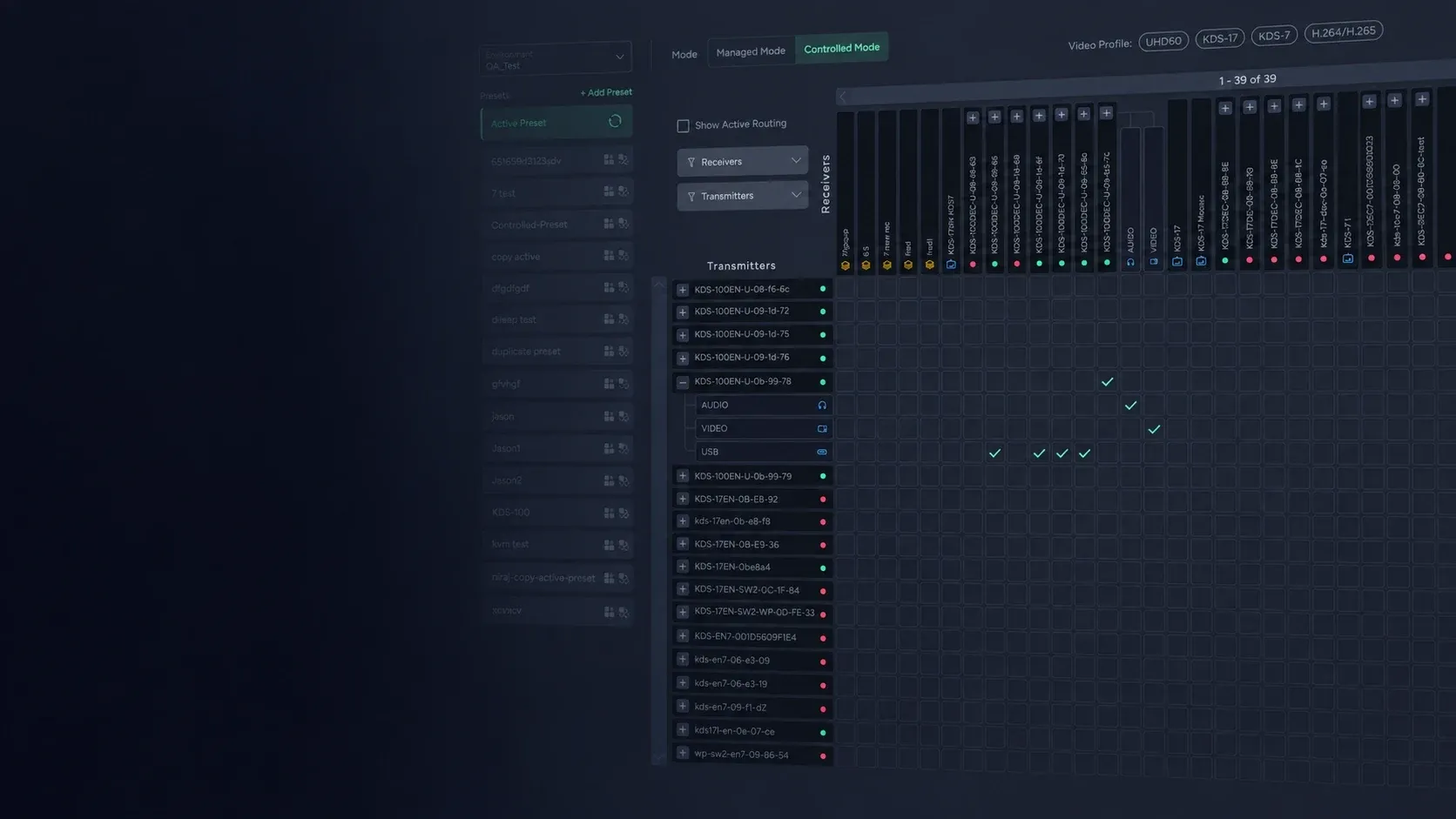
Every encoder, every decoder, one grid.
This is where a fleet is run from. Route one device or a hundred, save the result as a preset, and choose how much the devices themselves are allowed to do.
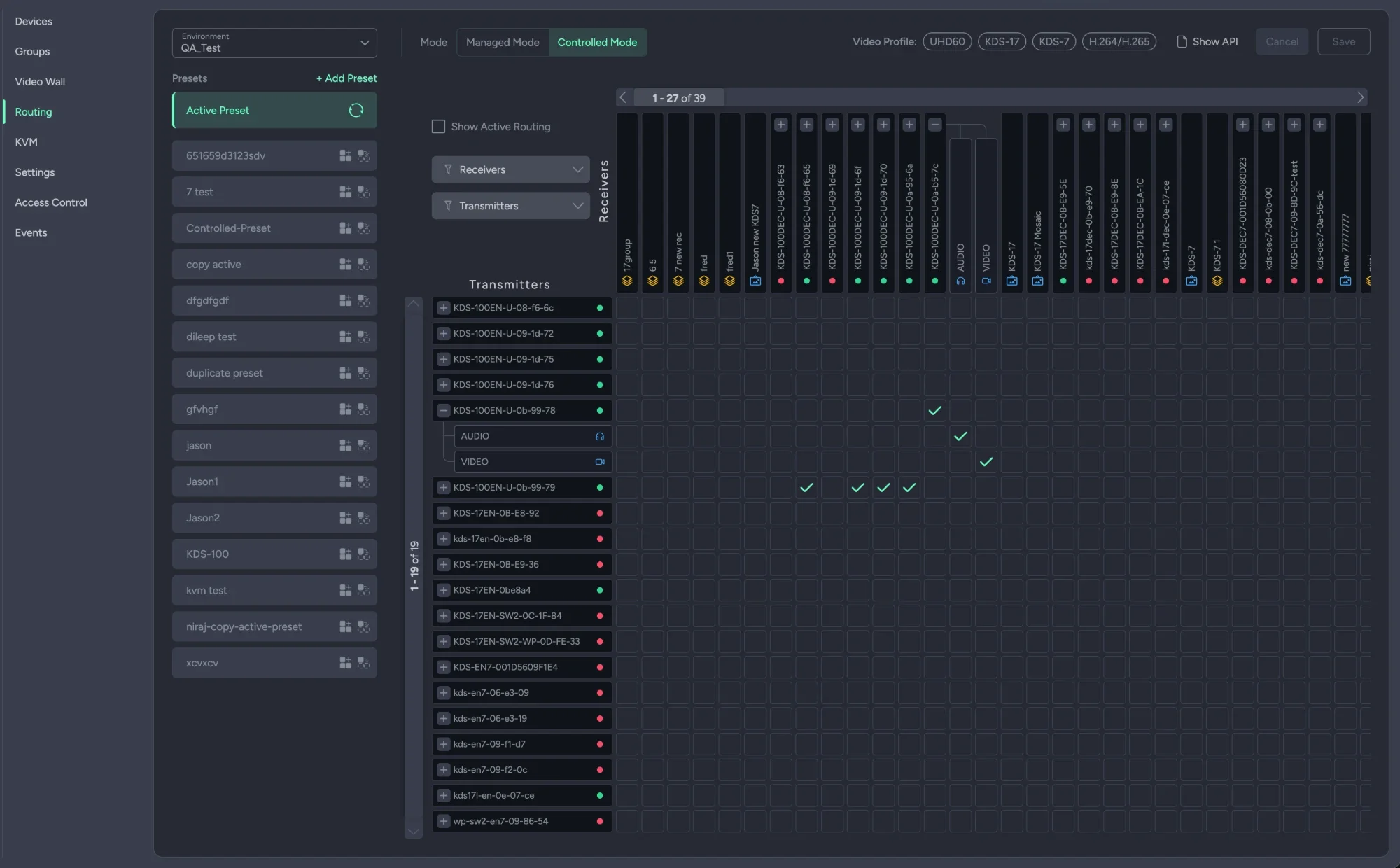
- ✦Encoders to decoders, in one grid. Transmitters down the side, receivers and groups across the top. A route is a click; a group routes every device in it at once.
- ✦The whole stream, or part of it. Route everything, or only the audio, the video or the USB. Filter the matrix by family — KDS-100, KDS-17, KDS-7 and UHD60.
- ✦Presets, as many as you want. Save a routing as a preset. Apply it over what is active, or replace what is active with it.
- The manager is the only way in
Managed mode
External routing is restricted; devices are locked and everything goes through the manager. Several presets can be active at once, cross-validated against each other and against anything external.
- Devices locked
- Multiple active presets
- Cross-validation
- The devices stay open
Controlled mode
External routing is allowed, so a device can still be driven directly. One preset is the active one; applying another merges into it, provided there are no conflicts.
- Direct device control allowed
- One active preset
- Merge on apply
Seven screens.
One fleet.
Everything a fleet of streamers needs, each on its own page. Step through them.
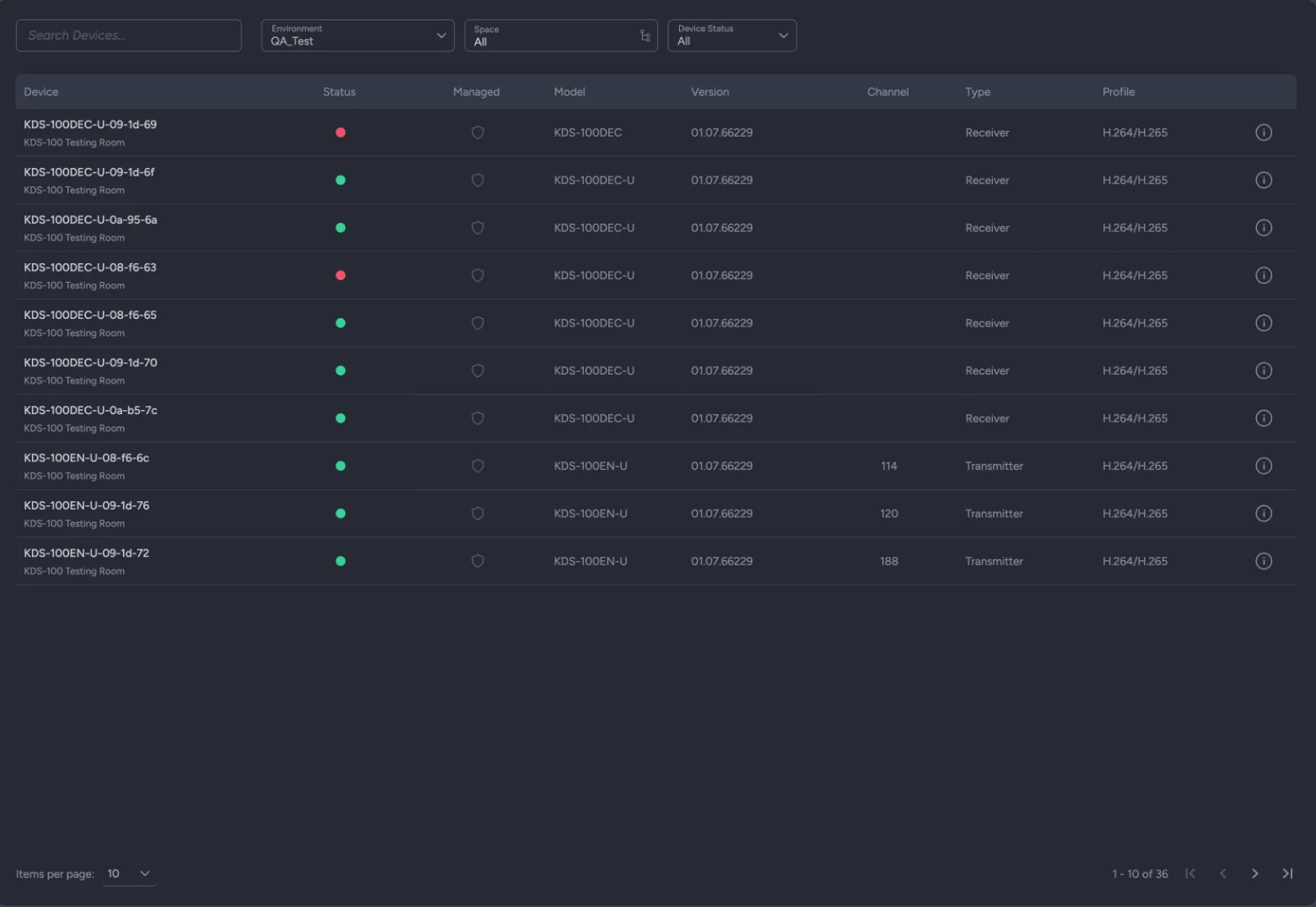
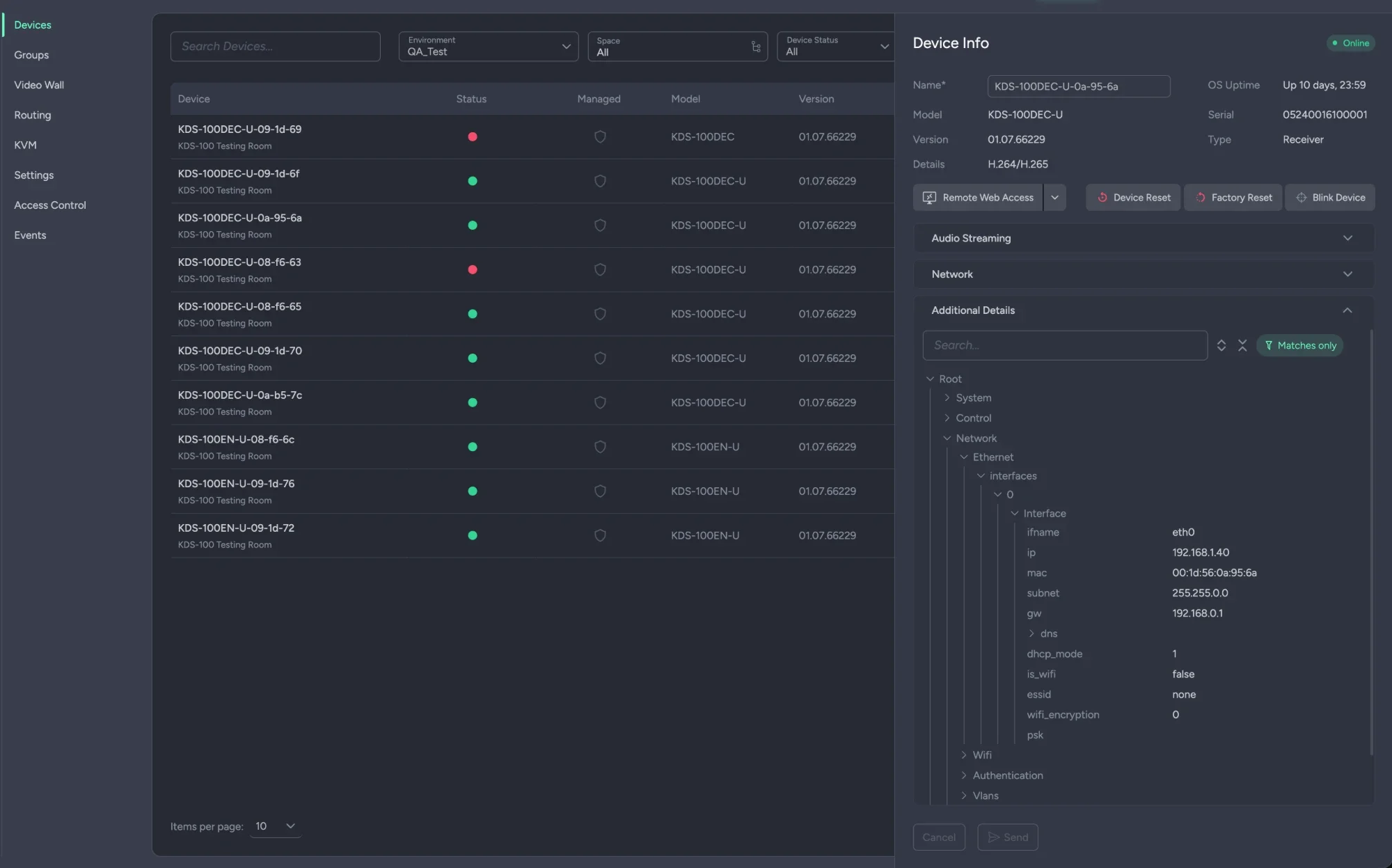
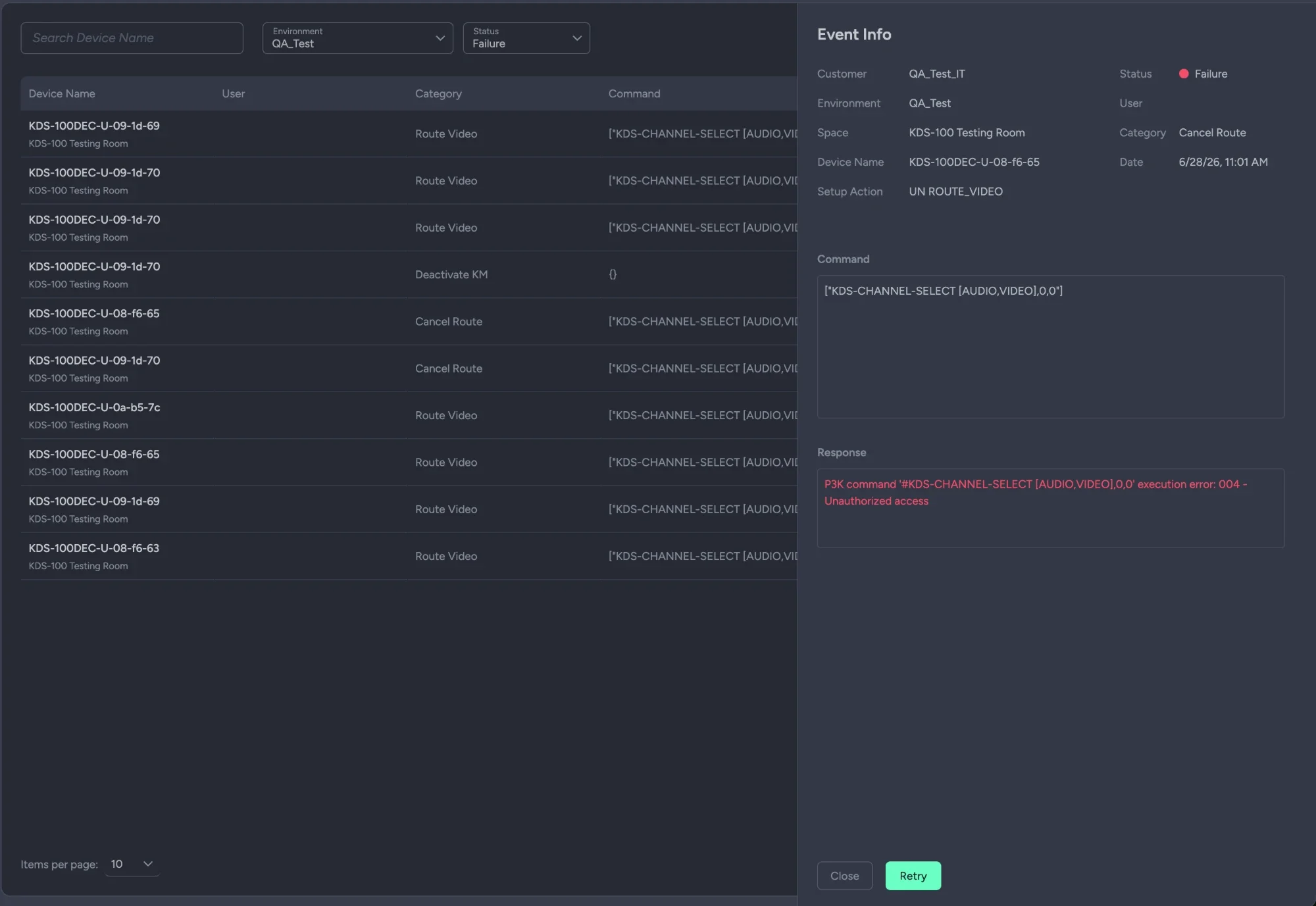
- ✦Devices. Every discovered Kramer streamer — encoder or decoder — with status, model, version and profile.
- ✦Actions. Open one and act: remote web access, reset, factory reset, blink to find it in the rack.
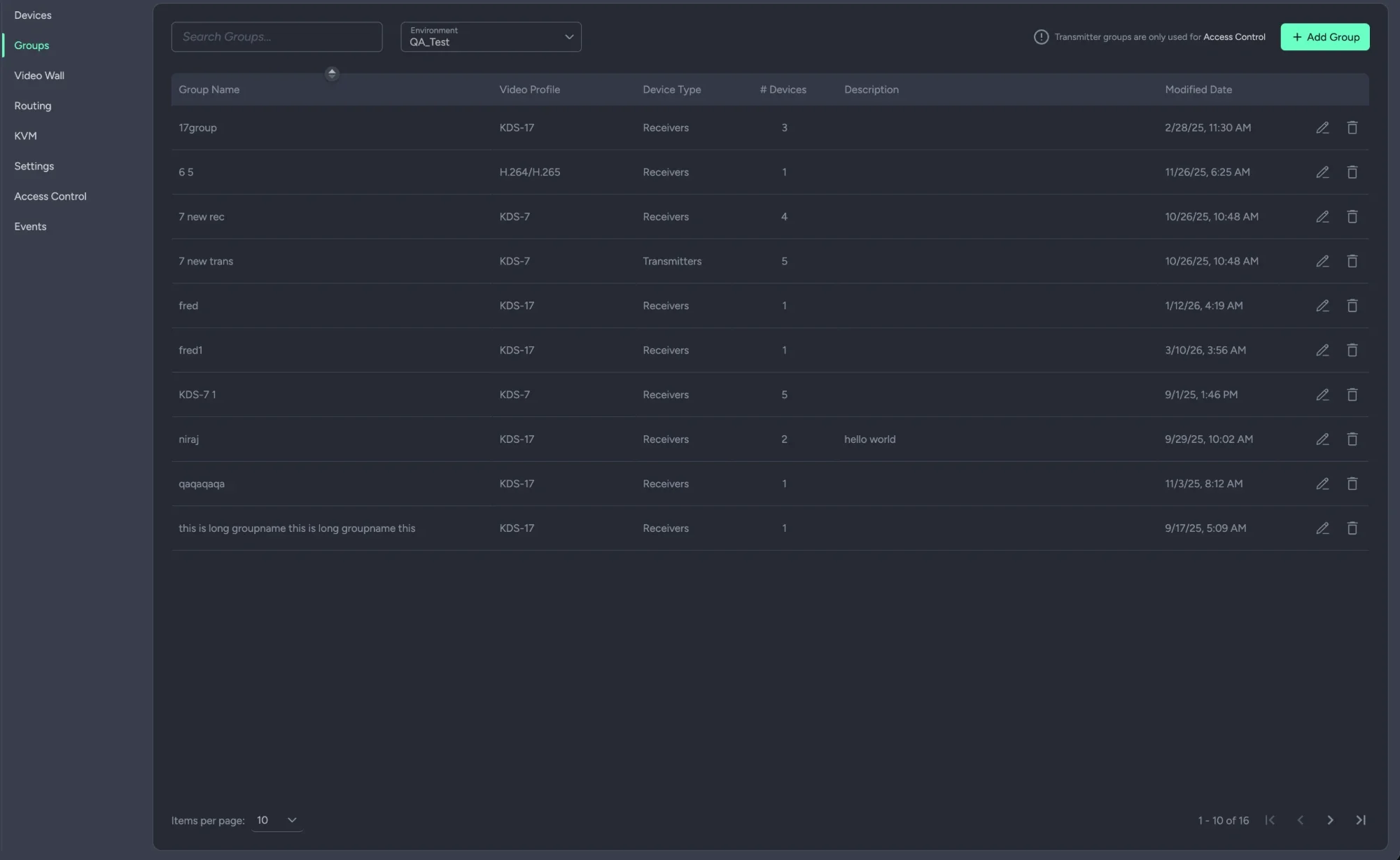
- ✦Groups. Many devices as one logical target, so a route or a preset touches all of them in one click.
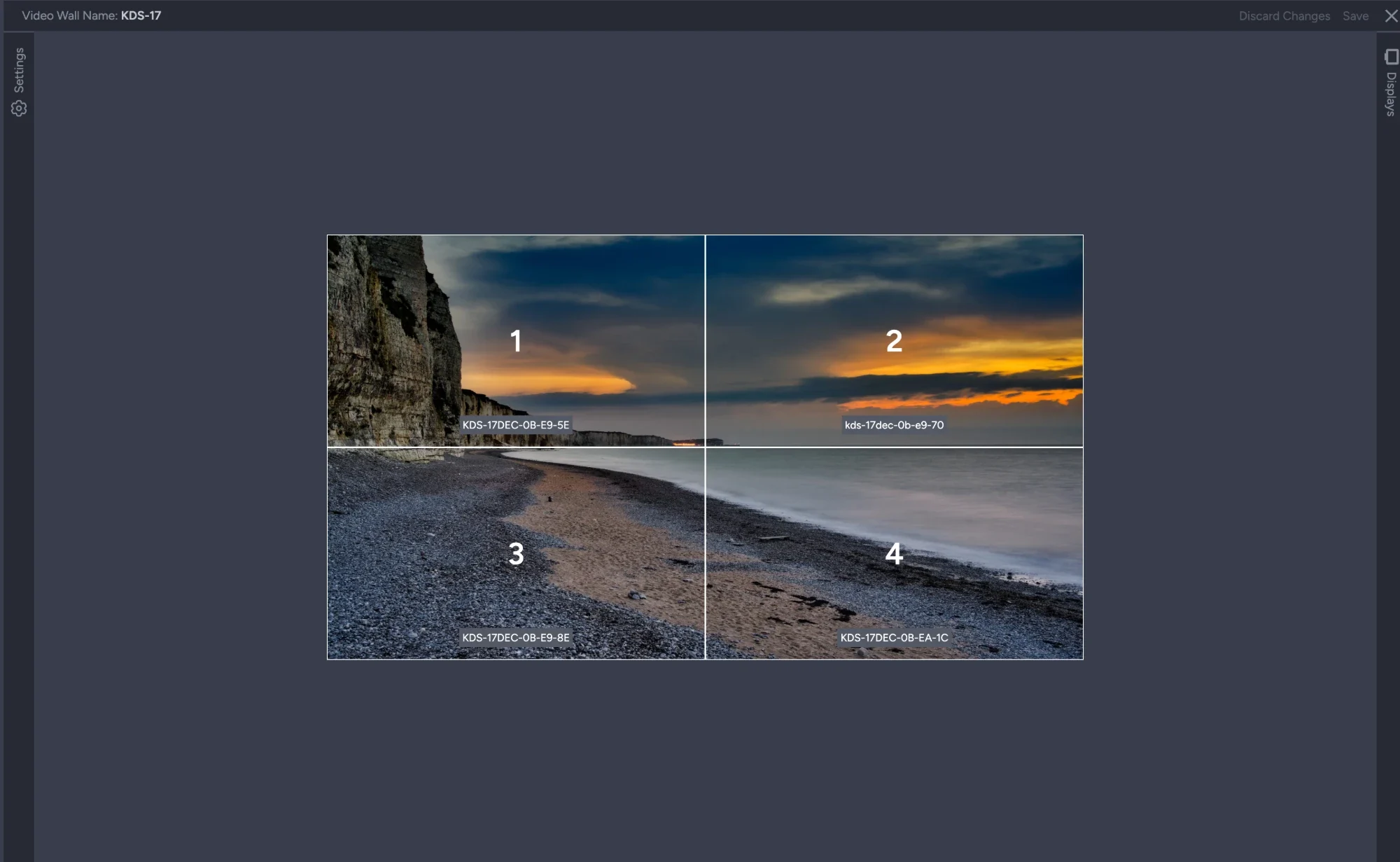
- ✦Video wall. A grid or a mosaic across decoders, with the displays defined once and reused.
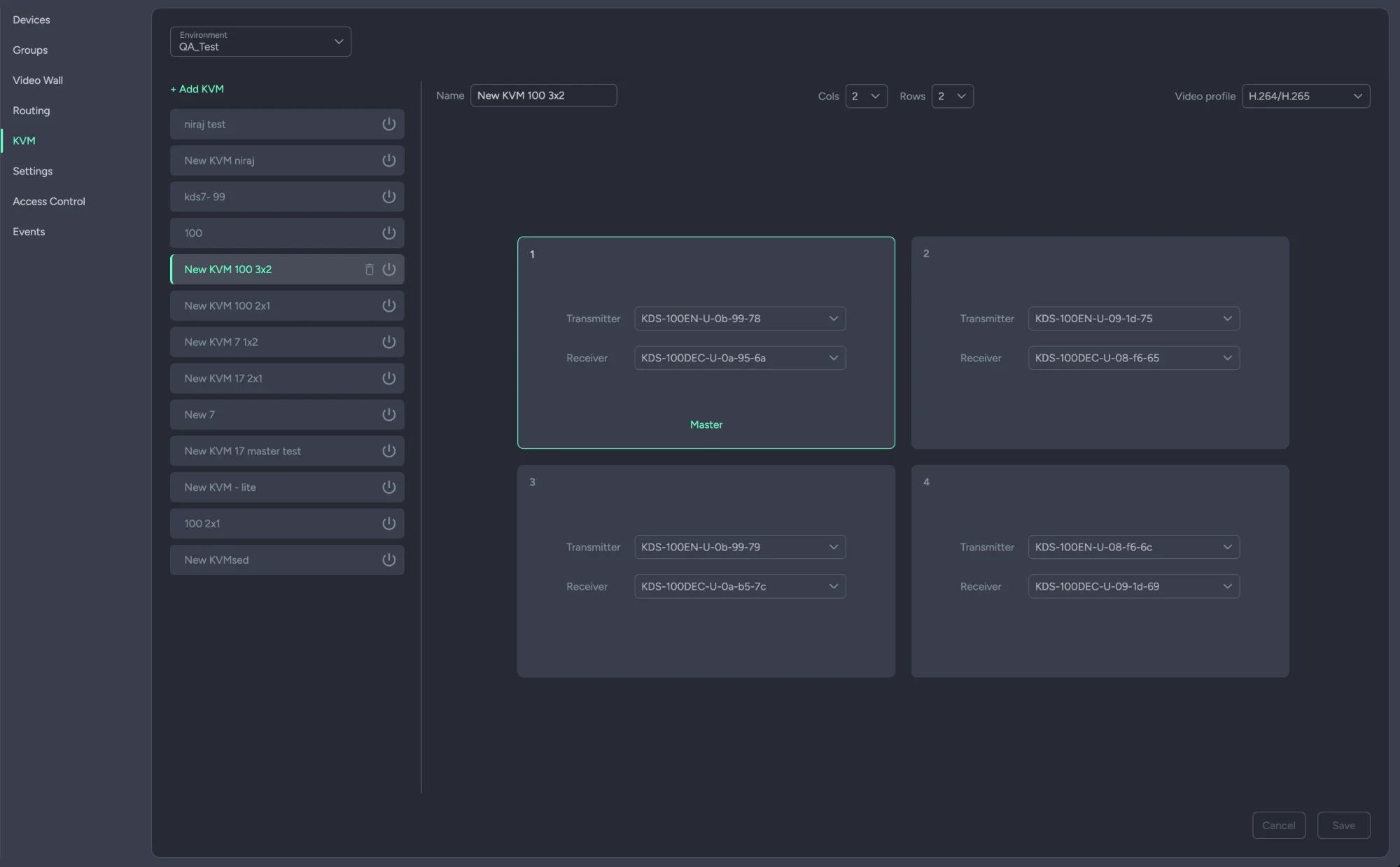
- ✦KVM. KVM and KM layouts, so one keyboard and mouse roam across several screens.
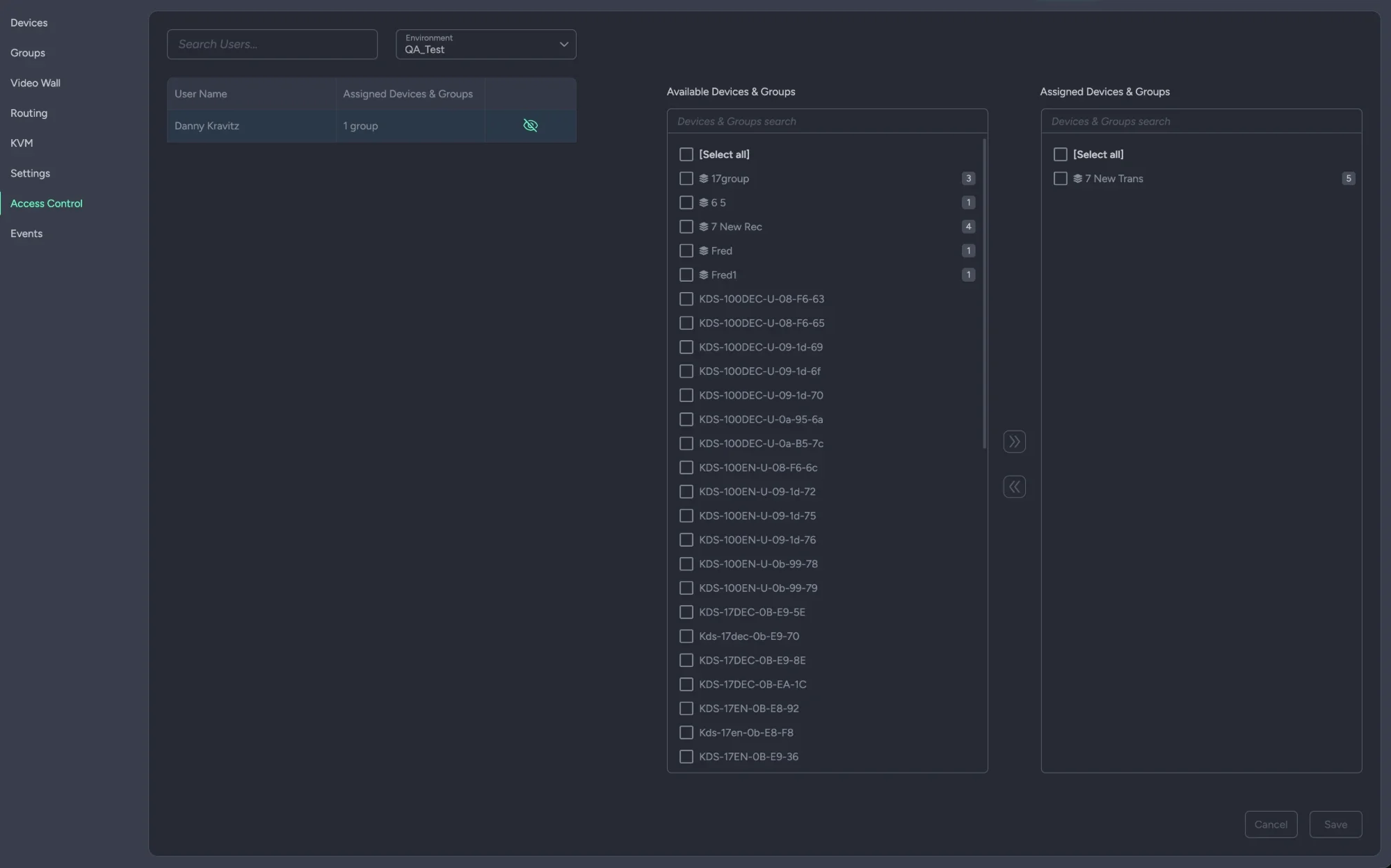
- ✦Access control. Users with partial sight of the fleet, where security or isolation requires it.
- ✦Events. Every streaming command sent, its result, and a retry when one failed.
A wall is drawn,
not configured.
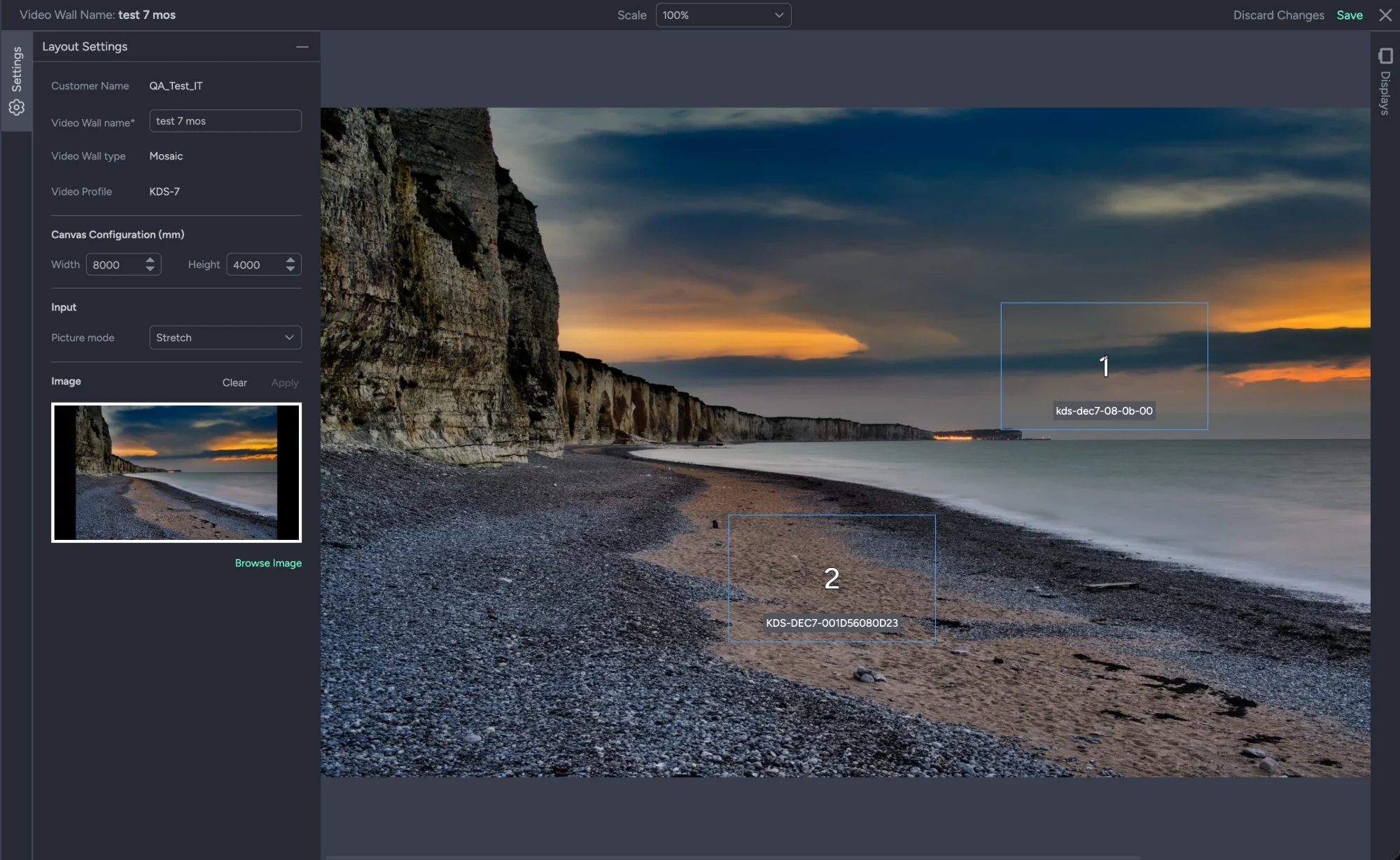
Place the displays where they are, bind each to its decoder, and the source is split across them.
- ✦Grid or mosaic. A regular tiled wall, or a mosaic where each display sits anywhere on a canvas measured in millimeters, at any angle.
- ✦Displays defined once. Outside size and bezel per display model, saved and reused across every wall you build.
- ✦A decoder per tile. Each display is bound to its decoder from the room, and the source is stretched, fitted or cropped across the whole.
The settings underneath,
from the same console.
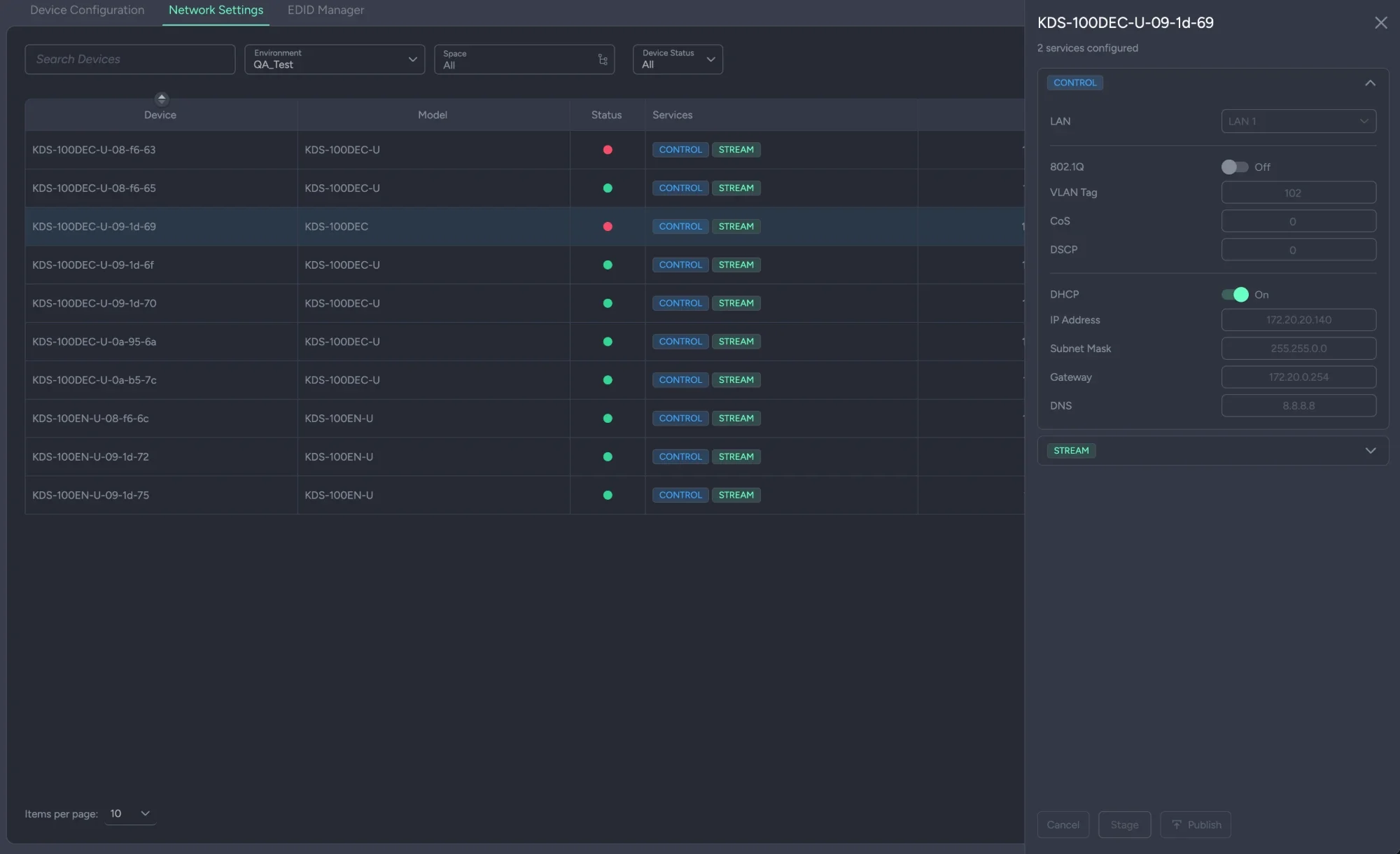
Routing is what a streamer does. Its network, its EDID and its configuration are set beside it, in Kramer Config.
- ✦Network settings, from the console. Per device and per service — control, stream, Dante — the LAN port, 802.1Q, VLAN tag, CoS, DSCP, DHCP and IP. Staged, then published.
- ✦EDID, assigned in bulk. A library of EDIDs with resolution, deep color and audio, assigned to decoders by model.
- ✦Configuration presets. A device configuration saved as a preset for its model, published to any device of that model, with the published and assigned presets shown side by side.
In the cloud,
or on your site.
The same manager, two places to run it.
A few streamers can be managed one at a time. Once the count grows there is no managing them separately — which is what the manager is for, wherever it runs.
- In the cloud
- Part of Panta Rhei. Unlimited devices, licensed. Reaches streamers on remote and local networks.
- On premises
- A hardware appliance on the local network. Up to 200 managed devices.
- Either way
- Same manager, same matrix, same presets. Open APIs for control systems.
The questions AV teams actually ask.
Which devices does it manage?
Kramer AV-over-IP streamers: the KDS-100 family over H.264 and H.265, KDS-7, KDS-17 and UHD60 — encoders and decoders alike. They arrive through Discovery like every other device on the platform.
What is the difference between managed and controlled mode?
In managed mode the devices are locked and everything goes through the manager; several presets can be active at once, cross-validated. In controlled mode a device can still be driven directly; one preset is active, and applying another merges into it if there is no conflict.
Can I route just the audio, or just the USB?
Yes. A route can carry the whole stream or only its audio, video or USB. Expand a transmitter in the matrix and the routes are separate rows.
How do groups help?
A group is many devices as one target. Route to the group, or put it in a preset, and every device in it is routed in one click rather than a hundred.
Where do VLANs, IP addresses and EDID get set?
In Kramer Config, the companion service: network settings per device and service, staged and published; EDIDs assigned by model; and configuration presets. It sits beside AVoIP Manager in the same console.
Cloud or on premises?
Both. In the cloud it is part of Panta Rhei, licensed per device with no ceiling, reaching remote and local networks. On premises it is a hardware appliance for the local network, up to 200 managed devices.
Bring the fleet.
Fifty streamers, three video walls and a preset that has to be right at 8am. Bring the estate and we will route it in front of you.
How do the streamers get into the manager? Discovered, like everything else.