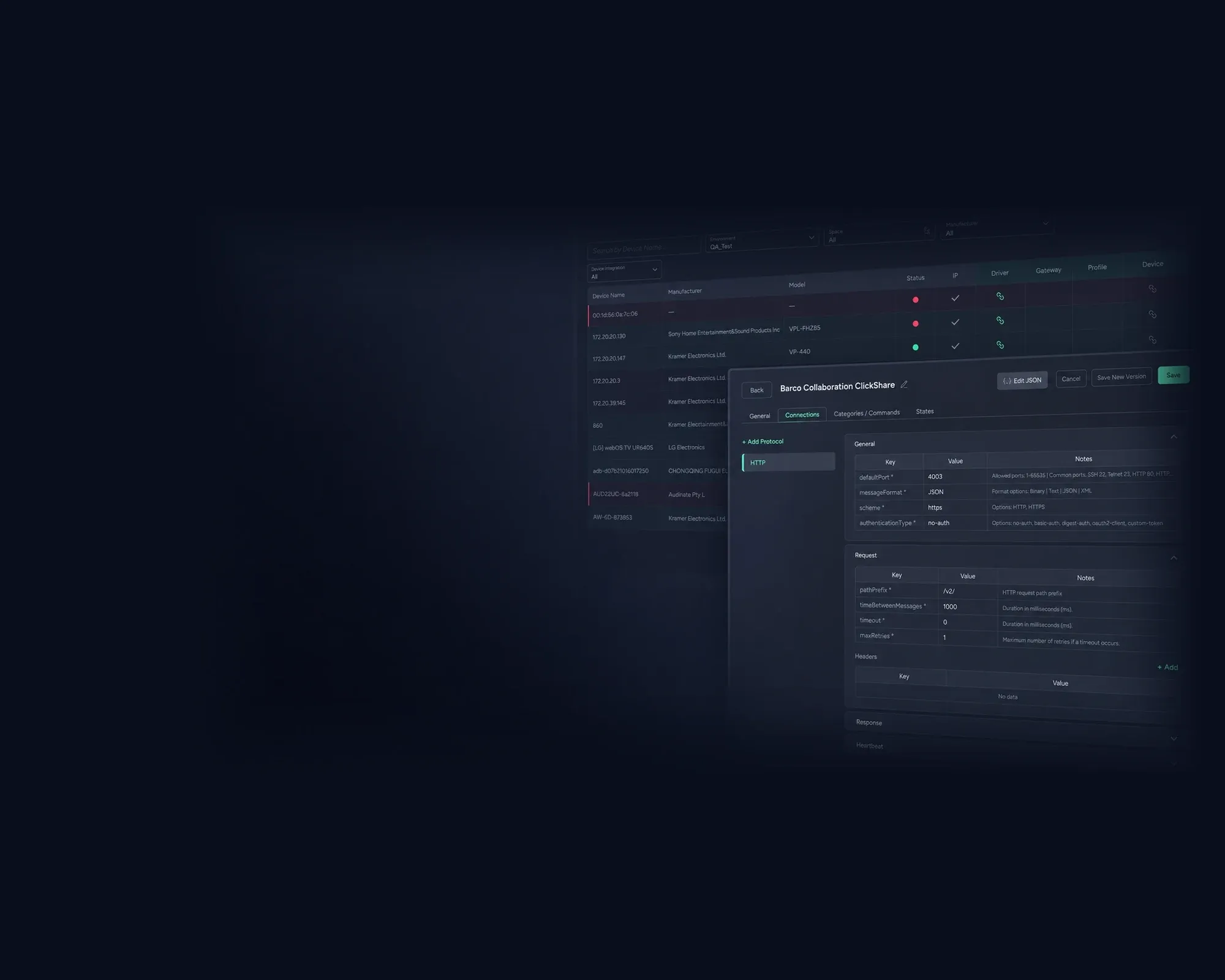
Device Integration · A Panta Rhei service by Kramer
Teach it once.
Then every service can speak to it.
A driver says how to reach a device, a profile says how to sign in, a gateway reaches the ones with no network port. Associate a device with those and the platform can monitor it, automate it and discover it in depth — from the same record Environment holds.
Between the inventory
and everything that acts on it.
Discovery finds a device and Environment places it. Integration is what makes it operable. Everything after this page assumes it has been done.
- DiscoveryFinds the device, identifies it by MAC
- EnvironmentPlaces it in its room
- DriverHow to reach it and what it understands
- ProfileHow to sign in — set once per manufacturer
- GatewayThe way in for a device with no network port
- Alert SettingsSensors bind to the states the driver reads
- AutomationActions on the commands the driver defines
- ControlA person acting on it, in the moment
- Discovery, deeperWhat the device knows about itself
A library from Kramer.
And the ones you write.
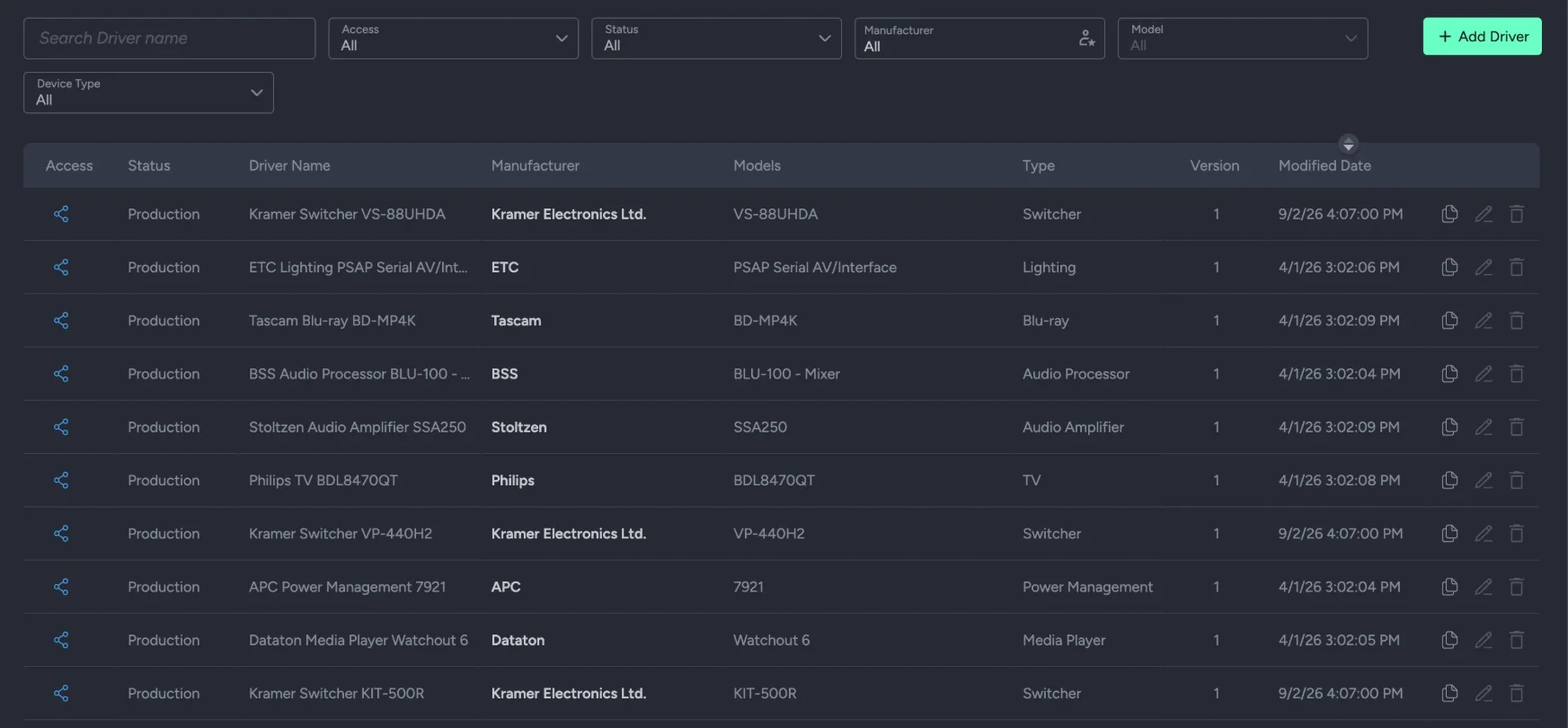
A driver is how the platform talks to a device. Any IP-connected device, from any vendor, can have one — the library shown here runs to 1,278.
- ✦Shared, or private. Kramer ships a shared library, read-only and available to every customer. Private drivers are yours: written by you, visible only to you.
- ✦Any IP-connected device. A driver defines how the platform talks to a device — manufacturer, model, the protocols it speaks, the commands it understands, the states it reports.
- ✦Testing, production, deprecated. A driver has a status. One that is in use cannot have its status changed underneath the things depending on it; changes save as a new version, with comments.
- ✦Deep enough for the awkward device. Ports, message formats, terminators, timeouts and retries, expected responses matched by regular expression, typed command parameters, and a heartbeat so silence is detectable.
The catalog behind
the drivers.
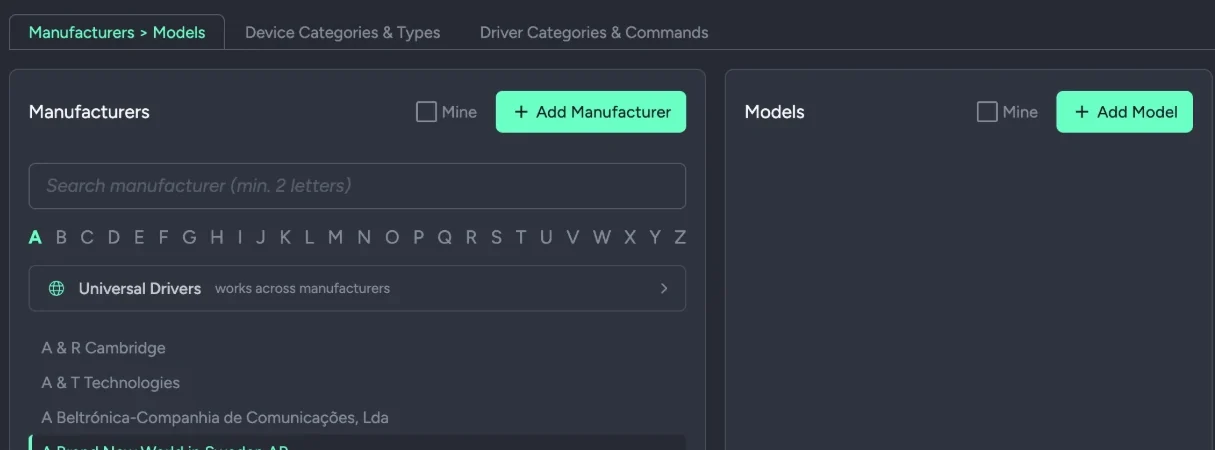
Every driver hangs off a manufacturer and a model. Both are lists, and both are yours to extend.
- ✦Manufacturers and models, as a catalog. Drivers hang off a manufacturer and a model. Both are lists you can add to, so a vendor nobody has integrated before gets an entry before it gets a driver.
- ✦Universal drivers. Some work across manufacturers — a generic protocol rather than a product — and sit at the top of the list.
- ✦Categories and commands, too. Device categories and types, and driver categories and commands, are the same kind of list: shipped, and extendable.
Credentials once,
per manufacturer.
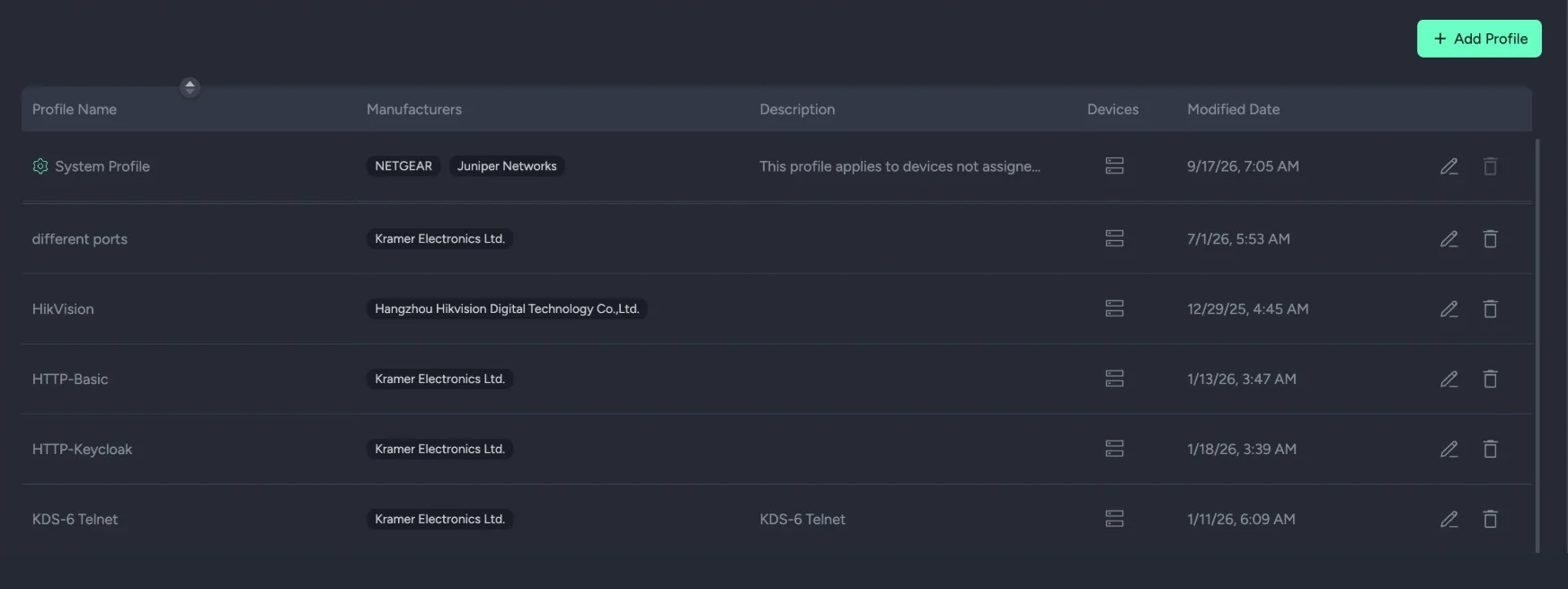
A profile is how the platform signs in. Set it once and it applies to every device of that type you configure.
- ✦Credentials once, per manufacturer. A profile holds the authentication settings for a manufacturer. Set them once and they apply automatically to every device and model of that type you configure.
- ✦More than a password. A profile can span several manufacturers with separate auth for each, override ports, and carry HTTPS, SSH and Telnet parameters — SSH by password or by key.
- ✦A system profile for the rest. Devices not assigned a profile of their own fall to the system profile, so nothing is left without a way to sign in.
The devices with
no network port.
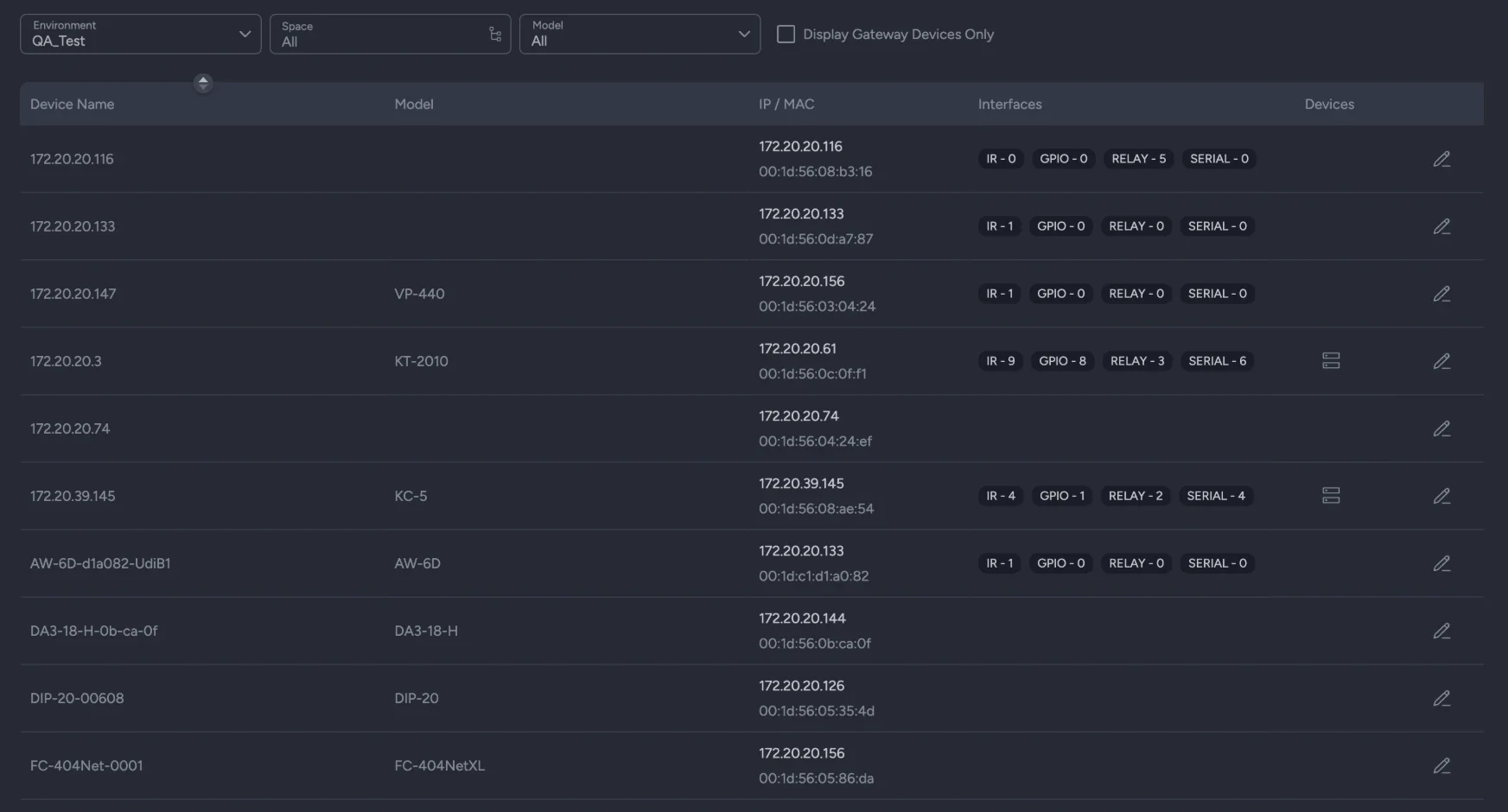
Serial, IR, relay, GPIO. A Kramer gateway puts them on the network, port by port, so the platform reaches them like anything else.
- ✦For the devices with no network port. A Kramer gateway is an IP-connected device that bridges serial, IR, relay and GPIO equipment into the platform, so older kit is addressable beside everything else.
- ✦Port by port. Each gateway lists what it has — IR, GPIO, relay and serial counts — and each port is configured on its own. Serial ports map to TCP ports the driver then speaks to.
- ✦Kramer gateways only. The bridge is Kramer hardware. What sits behind it — the projector on the serial line, the screen on the relay — can be anyone's.
The moment a device
becomes operable.
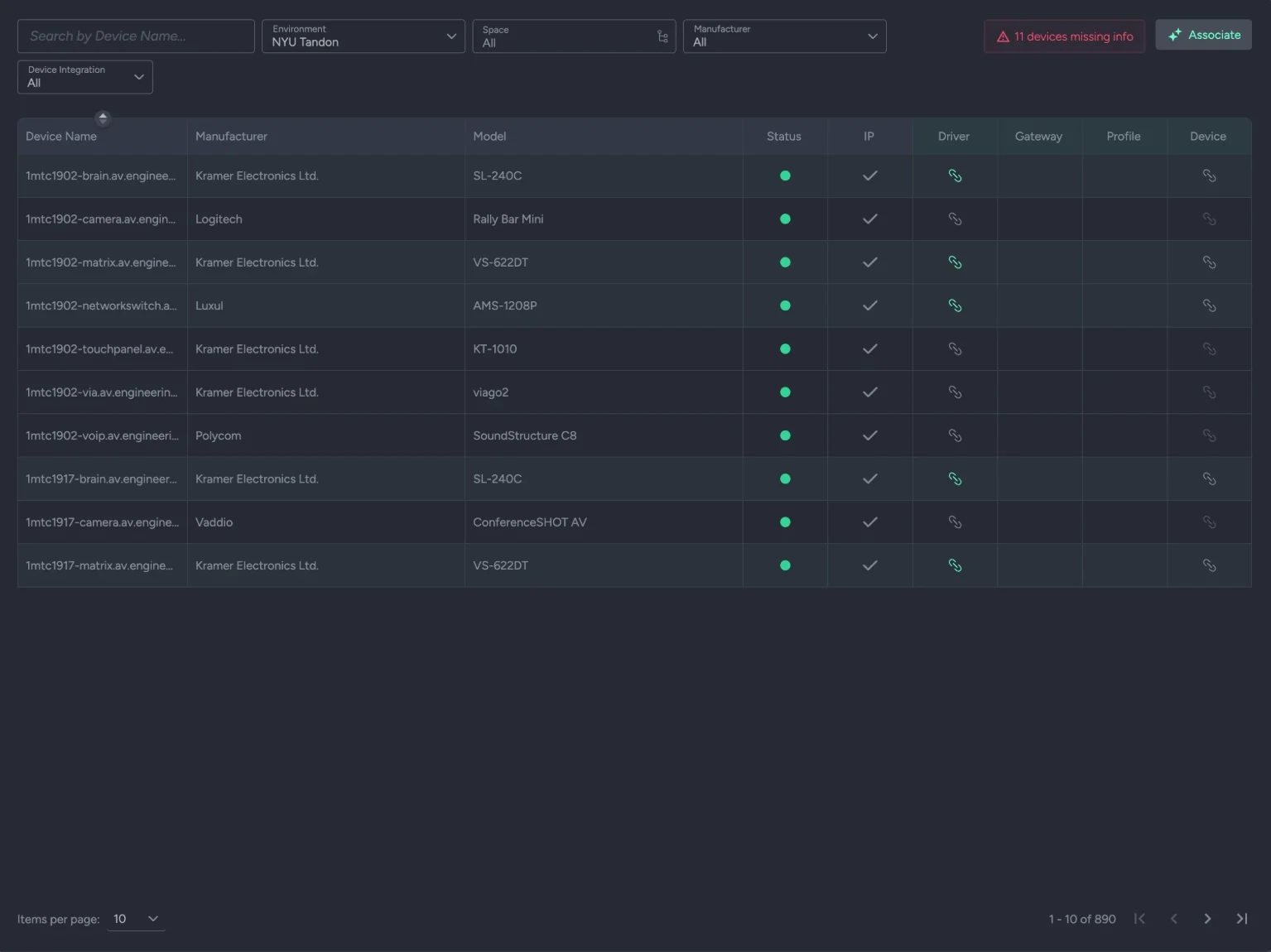
Bind a discovered device to its driver, profile and gateway, and from then on the service can speak to it — for monitoring, for automation, for discovery in depth.
- ✦The moment it becomes operable. Association binds a discovered device to its driver, its profile where authentication is needed, and its gateway where there is one. Only an associated device can be monitored or controlled.
- ✦Matched for you, in bulk. One action scans every unassociated device and matches each to the most suitable driver, profile and gateway, with live progress and a summary — found, associated, failed — and the detail behind it.
- ✦Honest about the gaps. A fully configured device shows green. One missing its manufacturer or model shows red, and the count of devices missing information sits at the top of the list.
The questions integrators actually ask.
What does "integration" mean here?
Teaching the platform to speak to a device. A driver defines how to reach it and what it understands, a profile how to sign in, and a gateway how to reach it when it has no network port. Association binds a discovered device to those, and from then on monitoring, automation and control all work on it.
Can we write our own drivers, or only use yours?
Both. Kramer ships a shared library, read-only and available to everyone. Private drivers are written by you, visible only to your organization, and work exactly like shared ones — including as the source of states that alert sensors read and commands that automation calls.
What can a driver connect over?
HTTP, TCP, UDP, WebSocket, SSH, Telnet and Serial, plus IR, Relay, GPIO and KNX — the last four through a Kramer gateway where the device itself has no network port.
Do we enter credentials for every device?
No. A profile holds the authentication settings for a manufacturer, and applies automatically to every device and model of that type you configure. Set them once. Devices with no profile of their own use the system profile.
What about equipment that is not on the network at all?
A Kramer gateway bridges serial, IR, relay and GPIO devices into the platform. The gateway is Kramer hardware; the device behind it can be from any vendor.
How long does associating a few hundred devices take?
One action. Auto-association scans every unassociated device and matches each to the best driver, profile and gateway, then reports what it placed and what it could not. What it could not place is a list to work through, not a silent gap.
Where does this sit in setting up an estate?
After Environment and before everything else. Discovery finds a device and Environment places it; Integration makes it operable; then Alert Settings, Automation and Control act on it. The order is the order the product is built in.
Bring the device nobody has integrated.
The interesting demo is the awkward third device, not the easy first one. Bring the one with the strange protocol and we will write the driver in front of you.
Wondering what happens once it is associated? Every service on the right of the drawing.